
I remember sitting in my bedroom at 2 AM, surrounded by half-disassembled PC parts and the glow of three different terminal windows, staring at a DNS error that made absolutely zero sense. I had spent way too much money on a hosting package that promised “seamless integration,” but all it gave me was a headache and a bunch of jargon-heavy manuals. Most big-name registrars love to make you feel like you need a computer science degree just to understand the basic domain name structure of your own website. They bury the simple stuff under layers of technical nonsense, hoping you’ll just click “agree” and keep paying their inflated renewal fees without asking questions.
I’m not here to lecture you or sell you some overpriced “premium” setup. My goal is to strip away the corporate fluff and show you how this actually works in the real world. I’m going to break down the anatomy of a URL so you can actually take control of your corner of the internet without feeling like you’re being scammed. No gatekeeping, no PhD required—just the straight facts you need to get your site live and actually own it.
Table of Contents
The Root Domain Explained Your Piece of the Internet

Think of the root domain as your actual home address on the web. When people talk about the root domain explained in simple terms, they’re basically talking about the core identity of your site—the part that stays the same no matter what else you add to it. If you own `mycoolproject.com`, that whole string is your foundation. It’s the anchor that tells the entire internet, “Hey, this is where I live.”
I see a lot of people getting tripped up when they start adding extra bits to their URLs, but once you grasp the top-level domain hierarchy, everything clicks. You might eventually decide to create a `blog.mycoolproject.com` or a `shop.mycoolproject.com`, but those are just extensions of your main identity. Understanding the difference between a subdomain vs subdirectory is a huge part of this, but don’t let that mental gymnastics stop you from claiming your name. At the end of the day, your root domain is your digital real estate, and it’s the most important piece of the puzzle to get right from day one.
Understanding Second Level Domain Importance Without the Jargon
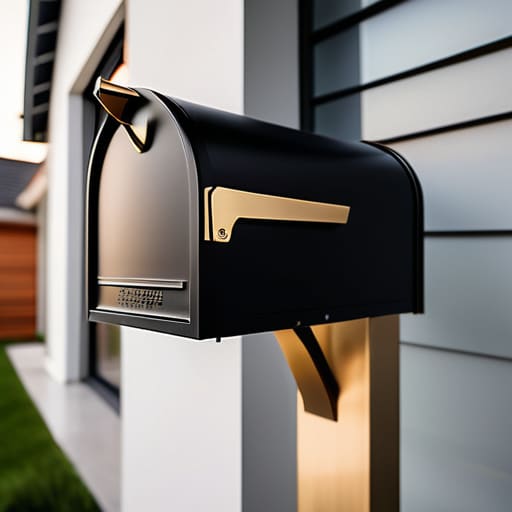
If the root domain is the foundation of your house, then the second-level domain (SLD) is actually the name on the mailbox. This is the part you actually choose and pay for—like “google” in google.com or “github” in github.com. While the root domain sets the stage, the second-level domain importance can’t be overstated because this is your brand’s identity. It’s what people actually remember when they’re typing your URL into a browser.
When you’re looking at the broader top-level domain hierarchy, the SLD is what sits right underneath those extensions like .com or .org. I’ve seen so many people get caught up in trying to find the “perfect” name, only to realize they’re overcomplicating the setup. You don’t need a complex setup to start; you just need a solid, recognizable name that isn’t a total headache to spell. Just keep it clean, keep it simple, and don’t let the technicalities of the DNS hierarchy components distract you from just getting your project live.
Pro Tips for Picking a Domain That Doesn't Suck
- Keep it short and sweet. I’ve seen too many people try to cram their entire life story into a URL, and it’s a nightmare for anyone trying to type it in manually. If it’s longer than three words, you’re probably overcomplicating it.
- Stick to a “standard” TLD if you can. While `.io` or `.tech` might look cool on a mechanical keyboard enthusiast’s site, `.com` is still the king of being easy to remember. Don’t make people guess what your extension is.
- Watch out for the “double letter” trap. If your second-level domain ends with the same letter your TLD starts with (like `press.site`), people are going to typo it constantly. It’s a small thing that causes a massive headache.
- Avoid hyphens like the plague. They look spammy, they’re hard to say out loud, and honestly, they just feel a bit “2005.” If you have to explain that your site is “cool-tech-blog-dot-com,” you’ve already lost.
- Check for “hidden” words. Read your domain out loud to make sure that when the pieces are mashed together, they don’t accidentally spell something weird or embarrassing. I’ve seen this happen to the best of us.
The TL;DR: What You Actually Need to Know
Think of your domain like an address: the Root is the world, the TLD is your neighborhood (like .com), and the SLD is your actual house.
Don’t get distracted by fancy extensions; pick a Second-Level Domain that’s easy to spell and doesn’t make people tilt their heads in confusion.
You own the pieces, but you control the direction—once you get these layers down, setting up your hosting becomes a whole lot less intimidating.
## Stop Overthinking the Hierarchy
“Think of a domain name like a file path on your Linux server—it’s just a way to tell the internet exactly where your stuff lives. Once you stop looking at it like some mysterious code and start seeing it as a simple map, the whole ‘technical’ side of things loses its power over you.”
Kwame Boateng
The Bottom Line

So, let’s recap before you go off and grab that domain. We’ve broken down the hierarchy from the root level all the way to the TLDs and your specific second-level domain. It’s not some mystical, impenetrable wall of code; it’s just a structured way to tell the internet exactly where you live. Once you realize that a domain is just a series of labels stacked on top of each other, the whole “technical” side of things starts to feel a lot less intimidating. Just remember to keep it simple and choose a structure that actually makes sense for your brand, rather than getting distracted by every shiny new extension that pops up.
At the end of the day, don’t let the fear of messing up a DNS setting or picking the “wrong” extension keep you from hitting publish. The internet is way too big and way too fun to let a little bit of jargon stand in your way. You don’t need a massive budget or a degree in computer science to claim your corner of the web; you just need to take that first step and get your name out there. Go find a domain you actually love, set up your hosting, and start building something cool. I’ll be rooting for you from my terminal.
Frequently Asked Questions
Does it actually matter which TLD I pick, or is a .com always the move?
Look, if you can snag the .com, grab it. It’s the gold standard because people instinctively type it without thinking. But don’t let “TLD FOMO” stop you from launching. If you’re building a portfolio, `.dev` is clean; if you’re a local shop, `.nyc` or `.london` actually helps. Honestly, a great site on a `.net` is way better than a parked domain on a `.com` that you’ll never afford. Just pick one and go.
If I buy a domain from one place, can I still host my site somewhere else?
Short answer: Absolutely. You don’t have to get married to your registrar just because you bought a domain there.
What's the deal with subdomains—do they cost extra or can I just make them for free?
Here’s the good news: subdomains are basically free. Once you own your main domain, you can spin up as many subdomains as you want—like `blog.yourname.com` or `shop.yourname.com`—without paying an extra cent to your registrar. It’s all handled through your DNS settings. Just don’t expect your hosting provider to make it “one-click” easy; you’ll usually have to manually add the record in your dashboard. It’s a total power move for organizing your site.
