
I remember sitting in my bedroom at 2 AM, staring at a terminal window after a client’s site got hit by a basic brute-force attack. I felt like an idiot, even though I’d spent weeks configuring that server. The industry loves to sell you this idea that information security is some high-level, mystical art form that requires a $200-an-hour consultant or a specialized degree to master. They wrap everything in layers of terrifying jargon just to make you feel like you can’t handle it yourself. Honestly? Most of that “enterprise-grade” fluff is just expensive noise designed to keep you paying monthly subscriptions for things you could probably set up yourself in ten minutes.
I’m not here to sell you a premium security suite or walk you through a textbook. My goal is to give you the actual, no-BS toolkit I use to keep my own projects and clients safe without breaking the bank. We’re going to strip away the gatekeeping and focus on the practical steps that actually matter—the kind of stuff that keeps the bad actors out while letting you focus on actually building your site. No PhD required, just straight talk and real-world tactics.
Table of Contents
Simple Data Breach Prevention Strategies for Everyone

Look, you don’t need to build a massive fortress to keep the bad guys out, but you also can’t just leave your front door wide open. Most of the time, hackers aren’t targeting you personally; they’re just looking for the easiest target. One of the most effective data breach prevention strategies I use is strictly managing who (and what) can touch your files. This means setting up solid access control mechanisms so that only the specific tools or people that absolutely need entry can get in. If a plugin doesn’t need write access to your entire directory, don’t give it.
Another thing that trips people up is “set it and forget it” syndrome. I see so many devs install a CMS and then ignore updates for six months. That’s basically leaving your keys in the ignition with the engine running. Keeping your core software and plugins updated is the simplest way to patch holes before someone exploits them. It’s not about being a paranoid expert; it’s just about basic digital hygiene to make sure you aren’t the low-hanging fruit in someone’s scan.
Mastering Access Control Mechanisms Without the Jargon
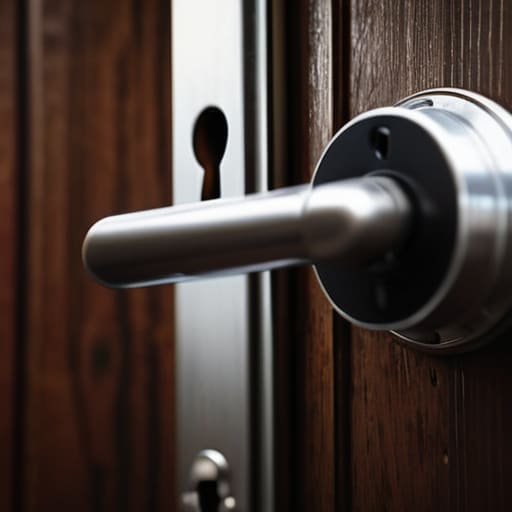
Think of access control like the keys to your house. You wouldn’t give a copy of your front door key to every random person walking down the street, right? The same logic applies to your website. Most people make the mistake of using one “super admin” account for everything, but that’s a recipe for disaster. Instead, you want to implement access control mechanisms that follow the principle of least privilege. Basically, if someone only needs to upload blog posts, don’t give them the power to delete your entire database.
I’ve seen way too many beginners get locked out of their own setups—or worse, get hacked because they left a backdoor wide open. You don’t need a massive information security management system to get this right. Just start by separating your roles. Use a dedicated account for your heavy-duty server configurations and a different, more limited one for your day-to-day content updates. It’s a small extra step, but it’s the easiest way to make sure a single mistake doesn’t take your whole project offline.
5 Low-Effort Ways to Stop Getting Hacked
- Stop reusing passwords like it’s 2005. Grab a password manager—Bitwarden or 1Password—and let them do the heavy lifting. If you’re still using “Password123” for your hosting dashboard, we need to talk.
- Turn on MFA (Multi-Factor Authentication) on everything. Even if someone manages to snag your login credentials, they aren’t getting in without that code from your phone. It’s a tiny bit of friction that saves a massive amount of headache.
- Keep your plugins and CMS updated. I see it all the time: someone leaves a WordPress site sitting for six months without an update, and boom, they’re part of a botnet. Those “update available” notifications aren’t suggestions; they’re lifelines.
- Don’t overshare in your metadata. Before you upload images to your site, strip out the EXIF data. You don’t need to give the world a GPS map of exactly where you live just because you posted a photo of your new mechanical keyboard.
- Back up your stuff, then back it up again. Use the 3-2-1 rule: three copies, two different media types, one off-site. If your server goes sideways or gets hit by ransomware, you want to be able to hit “restore” and go back to your coffee rather than panicking.
The TL;DR on Keeping Your Site Safe
You don’t need a massive security budget to stay safe; just focus on the basics like strong passwords and keeping your plugins updated so you aren’t leaving the front door wide open.
Stop giving out the “keys to the kingdom” to everyone; use the principle of least privilege so people (and apps) only have access to exactly what they need to do their jobs.
Don’t wait for something to break to start thinking about backups. Set them up now, test them once, and then forget about them until you actually need them.
The Real Cost of Cutting Corners
“Security isn’t about building some massive, impenetrable fortress that costs a fortune; it’s just about making sure you aren’t leaving your front door wide open while you’re busy worrying about the locks on the windows.”
Kwame Boateng
The Bottom Line

Look, we’ve covered a lot of ground here, from tightening up your access controls to making sure your data isn’t just sitting there wide open for anyone to grab. At the end of the day, securing your site isn’t about installing some expensive, enterprise-grade firewall that costs more than your monthly rent. It’s about the small, consistent habits—using strong passwords, enabling MFA, and actually paying attention to who has permission to touch your files. You don’t need to be a cybersecurity wizard to build a digital fortress; you just need to stop being an easy target by following these basic principles.
I know the whole security talk can feel overwhelming, like you’re trying to learn a new language just to keep your blog from getting hacked. But don’t let the jargon or the fear of the unknown stop you from putting your ideas out into the world. The internet is yours to build, and once you’ve locked the doors, you can finally focus on the fun part: actually creating stuff. Don’t let the big corporations or the scary headlines gatekeep your creativity. Get your site live, secure it properly, and just start building.
Frequently Asked Questions
If I'm using a cheap hosting provider, am I basically just leaving my front door unlocked?
Look, I get the temptation. You see a $2/month plan and think it’s a steal. But here’s the reality: cheap hosting often means shared resources with zero oversight. If another site on that same server gets nuked, you might get caught in the crossfire. It’s not exactly leaving your front door unlocked, but it’s definitely like living in a building with a broken security gate. You can make it work, but you’ve gotta be way more careful.
How much of this security stuff is actually worth my time versus just being overkill for a small site?
Look, I get it. You don’t want to spend your whole weekend configuring firewalls just to protect a personal blog. Honestly? Most of the enterprise-grade stuff is total overkill for you. But don’t mistake “simple” for “optional.” You don’t need a digital fortress, but you do need to lock the front door. Focus on the basics—strong passwords and keeping your plugins updated. That’s 90% of the battle. Everything else is just extra noise.
Is there a way to automate these security checks so I'm not constantly glued to my terminal?
Honestly, I feel you. Staring at logs all day is a one-way ticket to burnout. You definitely don’t need to be glued to your terminal 24/7. I usually set up basic cron jobs or use lightweight tools like Fail2Ban to handle the grunt work automatically. If you want to go a bit deeper, look into automated vulnerability scanners. They’ll ping you when something’s actually broken so you can get back to building stuff.
