
Look, most tech giants want you to think data encryption is some arcane, black-box ritual that requires a specialized degree and a massive enterprise budget to pull off. They love throwing around terms like “AES-256 bit end-to-end protocols” just to make you feel like you’re out of your depth, hoping you’ll just click “accept” on whatever overpriced security suite they’re peddling. It’s a total racket. I’ve spent way too many late nights staring at terminal windows realizing that the industry loves to hide the simplicity behind a wall of unnecessary jargon just to keep you dependent on their ecosystem.
I’m not here to sell you a subscription or lecture you like a textbook. My goal is to strip all that noise away and show you how to actually secure your stuff without the headache. I’m going to walk you through the practical ways to implement data encryption so your projects stay private and your users stay safe, using tools that actually work for real people. No fluff, no corporate gatekeeping—just the straight truth on how to lock down your digital life and move on with your day.
Table of Contents
- Mastering Symmetric vs Asymmetric Encryption Without the Headache
- Demystifying Cryptographic Algorithms for the Everyday Builder
- 5 ways to actually secure your stuff without losing your mind
- The TL;DR on keeping your data safe
- The bottom line on encryption
- Don't let the jargon win
- Frequently Asked Questions
Mastering Symmetric vs Asymmetric Encryption Without the Headache
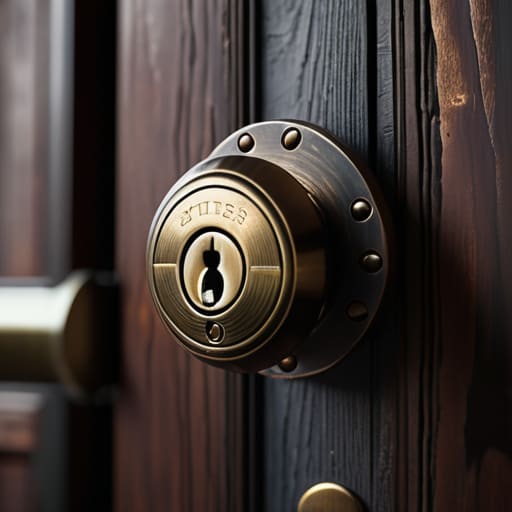
Look, I know “cryptographic algorithms” sounds like something straight out of a bad sci-fi movie, but the core concept is actually pretty simple once you strip away the jargon. Most of what we do online boils down to two methods: symmetric and asymmetric encryption. Think of symmetric encryption like a physical deadbolt on your front door. You use one single key to lock it and the exact same key to unlock it. It’s incredibly fast and efficient—which is why things like AES encryption standards are the industry go-to for protecting the actual files sitting on your server.
The catch? If you want to send that key to a friend, you have to figure out how to get it to them without someone intercepting it. That’s where asymmetric encryption saves the day. Instead of one key, you have a pair: a public key (which anyone can see) and a private key (which stays with you). It’s like having a mailbox where anyone can drop a letter through the slot, but only you have the key to open the back and read it. Mastering the balance between these two is how you actually keep your site’s traffic secure without killing your server’s performance.
Demystifying Cryptographic Algorithms for the Everyday Builder

Look, I know the term “cryptographic algorithms” sounds like something straight out of a high-level math textbook, but you don’t need to write your own math to use them. Think of these algorithms as the actual recipes that scramble your data into something unreadable. In the real world, you aren’t inventing new ways to hide information; you’re just picking the right tools that have already been tested and vetted by the community.
For most of the stuff you’ll be doing—like securing a small site or a private chat—you’re going to see AES encryption standards popping up everywhere. AES is basically the industry gold standard; it’s fast, it’s incredibly secure, and it’s what keeps your bank info from leaking. When you’re setting up your server or choosing a service, just make sure they’re using these established methods rather than some “proprietary” black-box tech. If a company tells you they have a “secret, special way” of protecting your files that they won’t explain, run the other way. Stick to the stuff that’s open-source and battle-tested.
5 ways to actually secure your stuff without losing your mind
- Stop trying to roll your own crypto. Seriously. Unless you’re a math prodigy, don’t try to write your own encryption logic from scratch. Use established, well-vetted libraries like OpenSSL or Libsodium. If you try to DIY it, you’re basically leaving your front door unlocked and hoping for the best.
- Always use HTTPS—it’s not optional anymore. If your site doesn’t have that little padlock icon in the browser, you’re basically shouting your users’ passwords in a crowded room. Grab a free SSL certificate from Let’s Encrypt; it takes two minutes and keeps the big corporations from sniffing your traffic.
- Treat your keys like your most expensive mechanical keyboard. If you lose your encryption keys, your data is gone forever—there is no “forgot password” button for a lost private key. Store them in a dedicated password manager or a hardware security module, not in a plain text file on your desktop.
- Don’t ignore the salt. If you’re storing passwords, never just hash them raw. Use a “salt”—which is just some random extra data added to the password before hashing—to make sure that if one person’s password gets leaked, it doesn’t compromise everyone else’s. It’s a tiny step that stops massive headaches later.
- Keep your software updated. Those annoying “security update” notifications? They actually matter. Most hacks happen because someone was running an outdated version of a library that had a known hole in it. Patch your servers, update your dependencies, and keep those terminal windows running smooth.
The TL;DR on keeping your data safe
Don’t let the math scare you off; encryption is just a tool to keep your projects private, and you don’t need to be a cryptographer to use it right.
Stick to the heavy hitters like AES or RSA—don’t try to roll your own custom algorithms unless you’re looking for a massive headache and a security breach.
Use symmetric encryption for speed when you’re handling your own files, but lean on asymmetric encryption to safely swap keys with the rest of the world.
The bottom line on encryption
At the end of the day, encryption isn’t some high-level math problem you need to solve to be a dev; it’s just a digital deadbolt that keeps your users’ data from being an open book to anyone snooping around.
Kwame Boateng
Don't let the jargon win

Look, we’ve covered a lot of ground, from the heavy lifting of symmetric keys to the clever math behind asymmetric encryption. It can feel like a lot when you’re just trying to get a project live, but remember: you don’t need to reinvent the wheel or write your own custom algorithms from scratch. Most of the tools we talked about today are already baked into the frameworks and libraries you’re likely using anyway. The goal isn’t to become a cryptographer; it’s just to make sure you’re not leaving the front door wide open while you’re busy building your vision. Just pick the right tools, understand the basic logic, and stop overcomplicating the process.
At the end of the day, encryption is just about ownership. It’s about making sure that the stuff you build—and the data your users trust you with—actually belongs to you and stays private. The internet is a massive, messy place, and big corporations love to make security feel like a luxury service you have to pay extra for. Don’t fall for that. You have the power to secure your own corner of the web without needing a massive budget or a PhD. Now, close those extra terminal tabs, grab some coffee, and go build something awesome.
Frequently Asked Questions
If I use these encryption tools, does it actually slow down my website or server performance?
Look, I get it. You don’t want your site feeling like it’s running on a dial-up connection from 1998 just because you’re being secure. The short answer? Not really. Modern CPUs have built-in hardware acceleration specifically for encryption, so the “performance hit” is basically negligible for most of us. Unless you’re running a massive database with millions of hits a second, you won’t even notice it. Just set it up and get back to building.
Do I really need to worry about encryption if I'm just running a small personal blog?
Look, I get it. You’re just posting thoughts on a niche blog, not running a bank. But here’s the reality: if you aren’t using encryption (SSL/TLS), you’re basically leaving your front door wide open. It’s not just about protecting your passwords; it’s about protecting your readers and making sure Google doesn’t flag your site as “Not Secure.” It’s free, it’s easy to set up, and it keeps the creeps away. Just do it.
How do I know if the encryption method I'm using is actually secure or just outdated junk?
Look, don’t just take a provider’s word for it. The easiest way to check is to look for “legacy” labels. If you see anything mentioning SHA-1, MD5, or DES, run. Those are basically digital screen doors—they look like they work, but they won’t stop anyone. You want to see AES-256 for your data and TLS 1.3 for your connections. If it’s old enough to be “classic,” it’s probably too weak for your site.
